Meta Ads Pre-Launch Checker
A free Chrome extension that QCs your Meta campaign against your setup sheet. Paste the rows from Excel or Google Sheets, click through the campaign, ad set and ad in Ads Manager, and see what does not match before you press Publish. Then copy a QC log to sign off.
Add to Chrome, freeRuns in your browser. It makes no network requests and never sends your campaign data anywhere. A setup sheet you paste stays on your own device until you remove it.
What it catches
- Anything that does not match your setup sheet. Campaign, ad set and ad names, objective, budget (amount, daily or lifetime, and whose budget it is), start and end dates, locations and excluded locations, age, gender, placements, Website URL and URL parameters. Anything it cannot read for sure shows as "not checked", never as a match.
- Meta's own errors, up front. When Meta's "Review errors" box has something in it, the panel shows the count and each error at the top, and the QC log records it, so nobody finds it only at Publish.
- Limits that are only suggestions. With Advantage+ audience on, an age or gender you set can be a hint Meta goes beyond. The sheet says Women; the ad can still reach men.
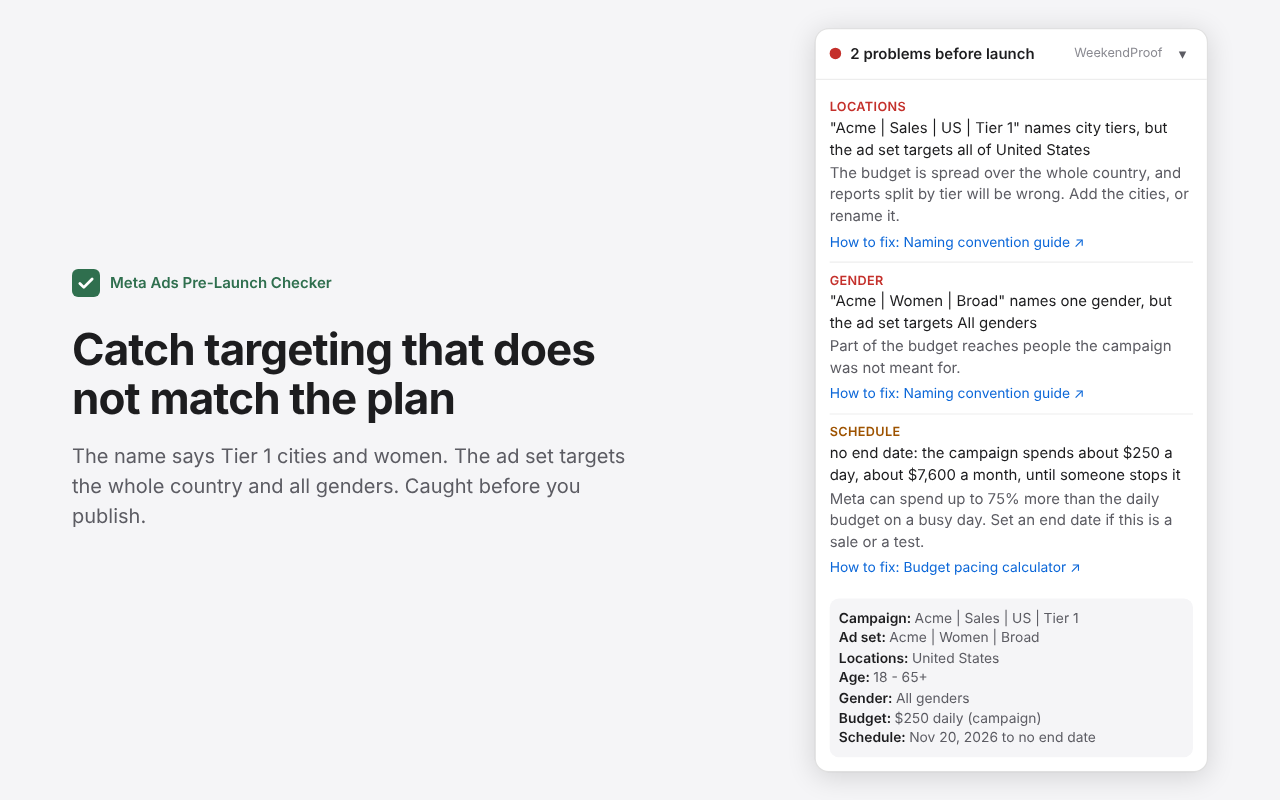
- Names that do not match the targeting. "Tier 1" or "US" in the name while the ad set targets another country or the whole country; "Women" or "25-34" while it targets all genders or 18-65+.
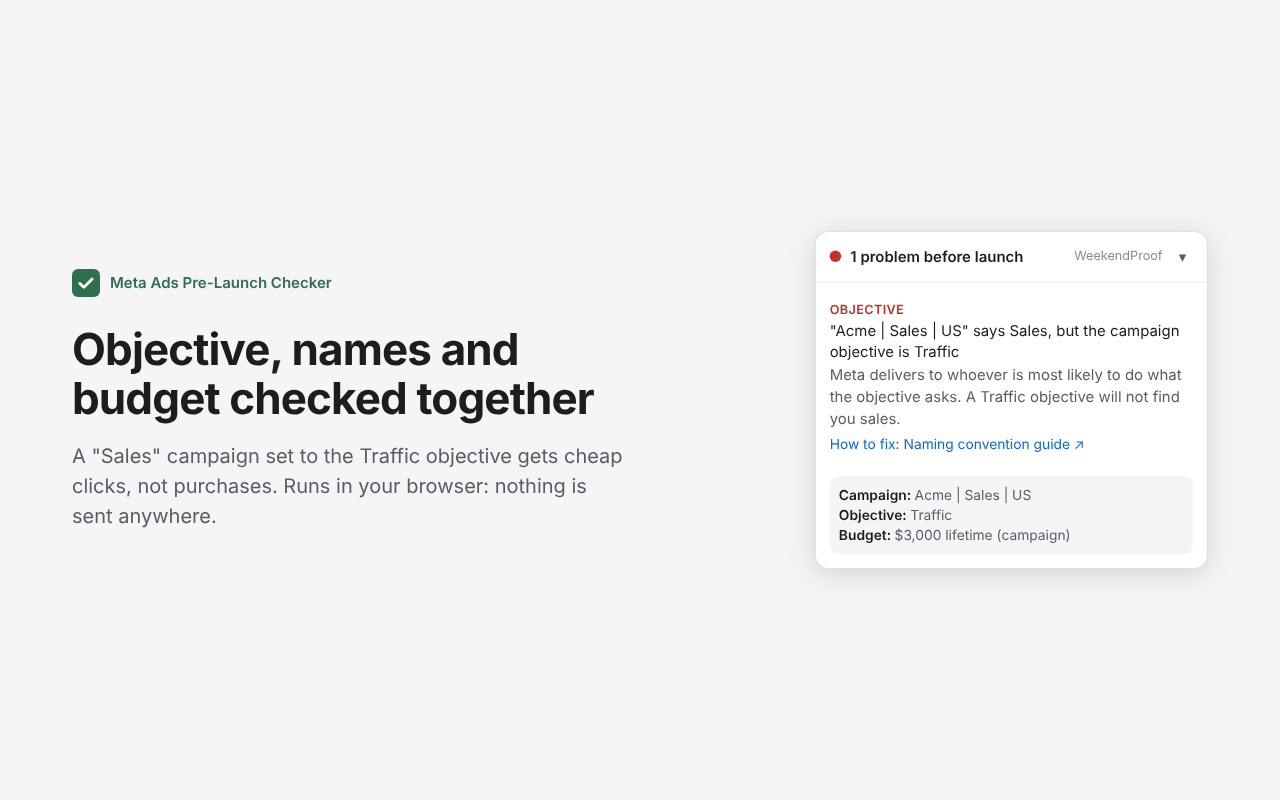
- The wrong objective. A campaign called Sales set to the Traffic objective gets cheap clicks, not purchases.
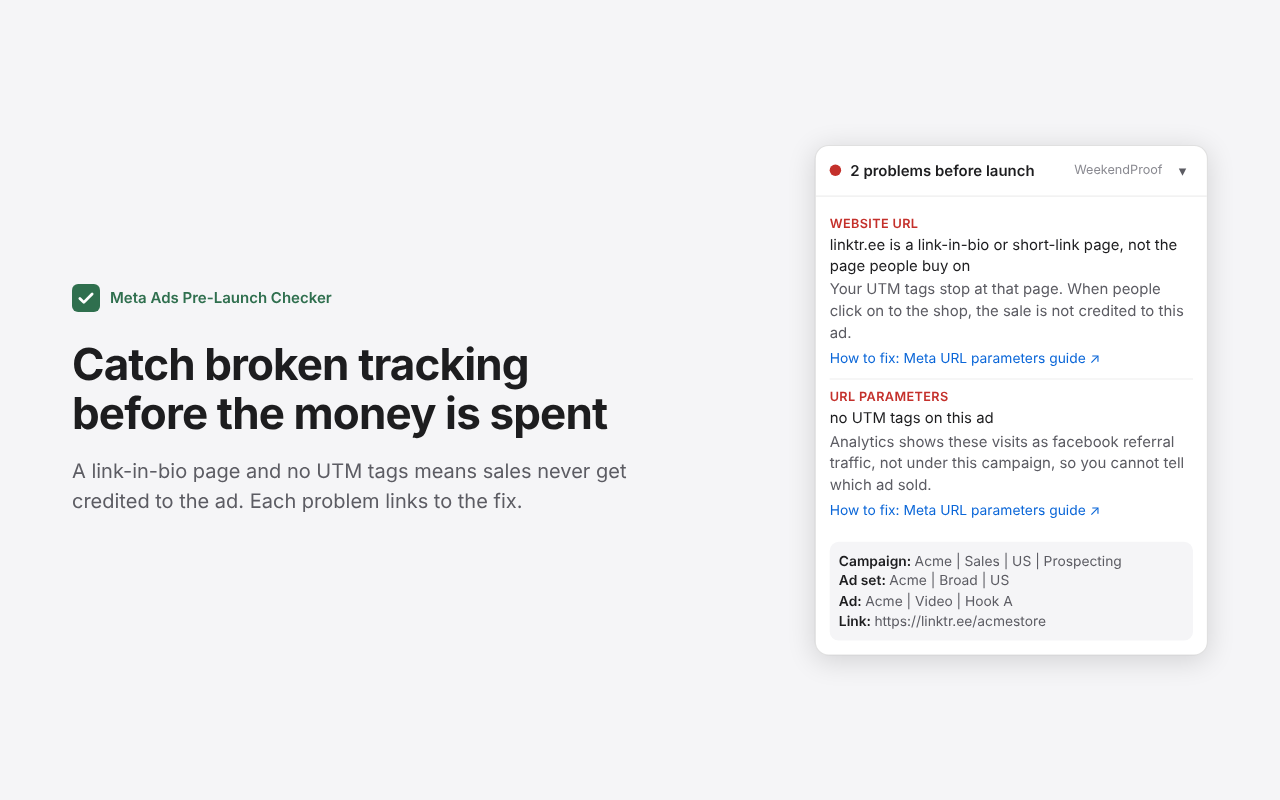
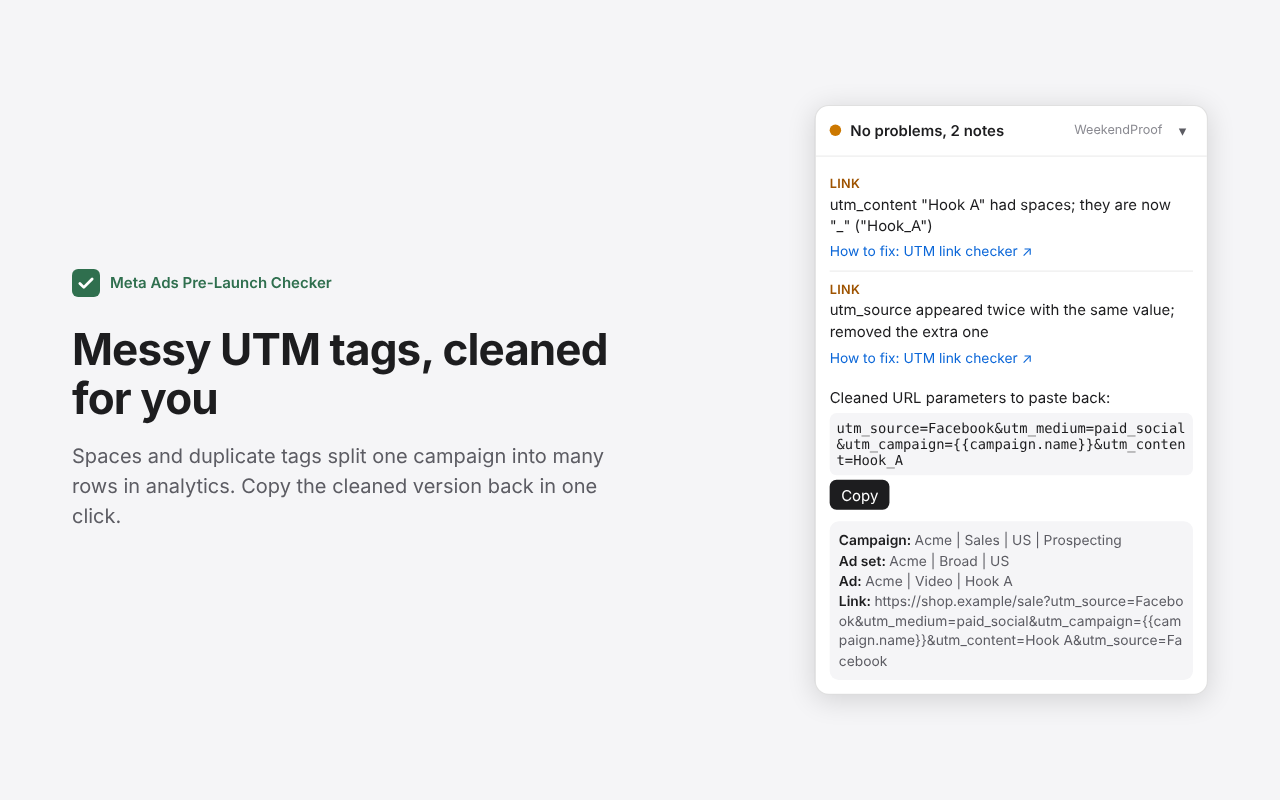
- Tracking that will not credit sales. Link-in-bio and short-link pages (linktr.ee, bit.ly) where UTM tags stop, missing UTM tags, blank or duplicate tags, spaces, broken encoding and macro typos. Messy URL parameters get a cleaned version to copy back.
- Leftovers. Meta's default names like "New Sales Campaign", "- Copy" from duplicating, blank names.
- Open-ended spend. A daily budget with no end date, with the monthly total it adds up to.
How to use it
- Add it to Chrome from the Chrome Web Store.
- Open a draft in Meta Ads Manager. A small panel appears in the bottom-right corner.
- Click "Check against your setup sheet" and paste the rows from your sheet, with the header row. No sheet? Download the free template.
- Click through the campaign, ad set and ad. Mismatches show first, then the other checks, each with what goes wrong if it launches.
- Click "Copy QC log" and paste it into your ticket or chat.
What's new
Chrome updates the extension on its own, usually within a few hours of a release. There is nothing to reinstall, and a setup sheet you pasted stays where it is.
- 0.7.0 (12 Nov 2026). An "Excluded locations" column in the setup sheet, checked against the places Meta excludes. Meta's own error count shown at the top of the panel and in the QC log.
- 0.6.0 (12 Nov 2026). QC against your setup sheet: paste the rows, see what matches and what does not, and copy a QC log. Free setup sheet template.
- 0.5.0 (11 Nov 2026). Notes on the settings Meta switched on for you, like Advantage+ audience and placements.
- 0.4.1 (11 Nov 2026). First public version: names, targeting, objective, budget and UTM checks on the open draft.
Not on Meta?
The UTM link checker and thecampaign naming and UTM builder work with any ad platform, and thebudget pacing calculator reads Meta and Google Ads exports.
FAQ
Questions, answered
What the extension checks, what it reads, and why your campaign data stays in your browser.
Still stuck? Email hello@weekendproof.com
What does the Meta Ads Pre-Launch Checker check?
It reads the campaign, ad set or ad you have open in Meta Ads Manager and checks them against each other: names that say a country, city tier, gender or age the targeting does not match, a campaign name that says Sales while the objective is Traffic, Meta default names and leftover "- Copy" from duplicating, missing or broken UTM tags, link-in-bio pages like linktr.ee where UTM tags stop, and a daily budget with no end date.
Does it work on drafts before I publish?
Yes, that is the point. It reads the editor while you build the campaign, so problems show up before you press Publish and before any money is spent. It updates as you type.
Does my campaign data leave my browser?
No. The extension reads the page you have open and checks it inside your browser. It makes no network requests. If you paste a setup sheet to compare against, the sheet and the QC results are kept in the extension's storage on your own device until you click "Remove", and are never sent anywhere. The "How to fix" links open a WeekendProof page only when you click one.
How is this different from Meta's own recommendations?
Meta's campaign score looks at delivery settings Meta cares about. It does not compare your names with your targeting or check your UTM tags. On one real draft, Meta scored the setup 100 while the checker found a link-in-bio page, missing UTM tags and a "Tier 1/2/3" name targeting the whole country.
Does it work with Google Ads or other platforms?
Not yet: it reads Meta Ads Manager today. Google Ads is next. For other platforms, the free UTM link checker and naming builder on this site work with any ad platform.
Does Ads Manager need to be in English?
For the targeting checks, yes: the locations, age and gender summary is read by its English labels. Names, objective, budget and UTM checks work from the page structure.
Is it free?
Yes, with no signup.